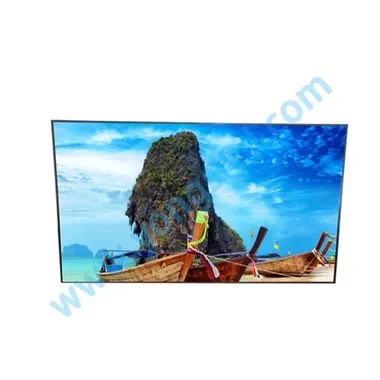
اس مرحلے پر، سپلیسنگ اسکرینوں کی ایپلی کیشن رینج تیار ہوتی رہتی ہے۔ ڈسپلے اور چلانے کے لیے LCD سپلائینگ اسکرین ٹرمینل کو کمپیوٹر سے منسلک کرنے کی ضرورت ہے۔ الگ کرنے والی اسکرین اور کمپیوٹر کیسے جڑے ہوئے ہیں؟
آج کل، بہت سے یونٹس، کارپوریٹ نمائش ہال، میٹنگ روم، وغیرہ LCD splicing سکرین دیکھ سکتے ہیں. بڑے پیمانے پر اشتہارات سمیت جو ہم اکثر سڑکوں پر دیکھتے ہیں، یہ اشتہارات بہت سی LCD اسکرینوں پر مشتمل ہوتے ہیں۔ ایک اسکرین کے لیے، ہمیں صرف LCD سپلائینگ اسکرین کے پیچھے VGA پورٹ کو کمپیوٹر سے جوڑنے کی ضرورت ہے۔ لیکن ملٹی-اسکرین اسپلسنگ کے لیے: مثال کے طور پر، ہم 9 LCD اسپلسنگ اسکرینز کے ذریعے کمپیوٹر سے کیسے جڑتے ہیں؟
Normally, if we want to connect to the computer screen, we only need to connect the computer to the VGA interface. But the LCD splicing screen has so many interfaces such as HDMI, DVI, VGA, RGB, component, and terminals. Isn't it useless, isn't it? Because the LCD splicing screen is made up of many small screens, many industries need to use multiple computers to connect to the LCD splicing wall. At this time, we must equip the matrix, the matrix interface is more diverse, we only need to find the corresponding interface.
Before connecting, be sure to ask the splicing screen manufacturer to introduce you to the dedicated splicing screen connection line. When the connection line is accidentally damaged or lost, it is recommended to contact the splicing screen manufacturer to buy it or you can find friends in some industries to help you buy it to avoid unnecessary inconvenience. Many people have doubts about the display effect of the splicing screen after connecting to the computer. That is because the resolution of the splicing screen is also one of the factors of the quality of the splicing effect. The resolutions of 1366768 and 19201080 of the LCD splicing screen are the most common. Yes, there is a substantial difference between the two. Normally, the resolution of splicing screens of different sizes is different. In view of the working principle of LCD splicing screens, the resolution of LCD splicing screens is fixed, so Its best resolution is its actual resolution, and when we connect to the computer, it's best to choose the resolution setting that is closest to the resolution of the LCD splicing screen. The specific method is as follows: right-click on a blank space on the desktop and click Select "Properties" in the shortcut menu, the "Display Properties" window appears, click the "Settings" tab, and adjust the settings under "Screen Resolution".
کنکشن مکمل ہونے کے بعد، ہم LCD سپلائینگ اسکرین کنٹرول سافٹ ویئر بھی انسٹال کر سکتے ہیں، تاکہ ہماری انٹرایکٹیویٹی زیادہ واضح ہو، اور نیویگیشن کے مطابق کسی بھی آپریشن میں کوئی مسئلہ نہ ہو، اور فنکشن زیادہ طاقتور ہو، لیکن ہمیں یہ دیکھنا چاہیے کہ آیا یہ انسٹالیشن کے دوران کاپی کیٹ ہے۔ ورژن، کاپی کیٹ سافٹ ویئر کا اثر بہت سنگین ہے، جس کی وجہ سے LCD سپلائینگ اسکرین کا عام طور پر کام نہیں کرنا ایک ہلکا نتیجہ ہے۔